> ## Documentation Index
> Fetch the complete documentation index at: https://help.playzo.fr/llms.txt
> Use this file to discover all available pages before exploring further.
# Partagez votre profil
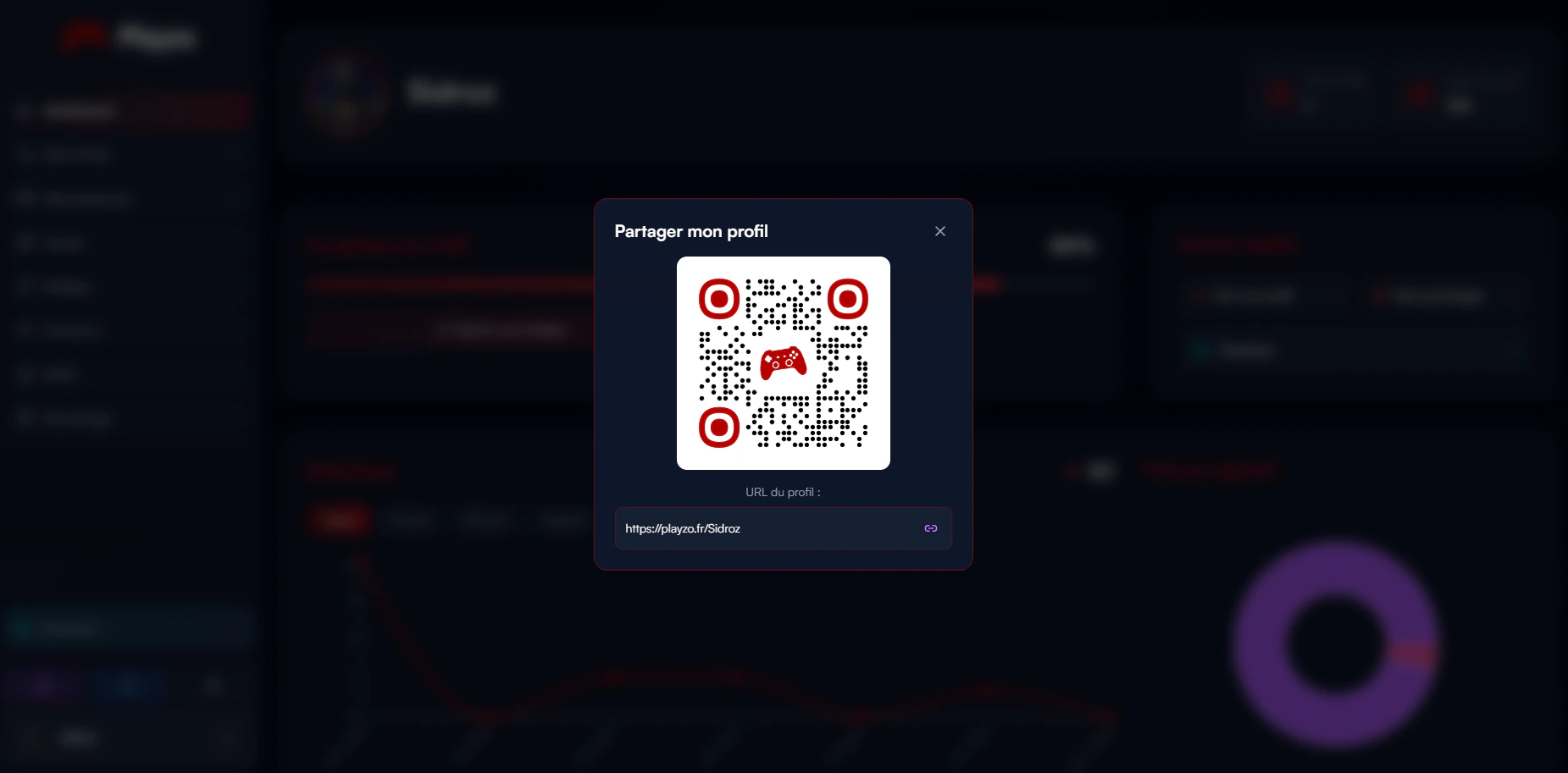
> Une fois que vous avez fini de concevoir votre profil, vous pouvez facilement le partager via le dashboard, soit sous forme de code QR, soit sous forme de lien.
### Où le partager ?
* Dans votre bio ou votre statut Discord
* Sur les plateformes de réseaux sociaux comme Twitter, Instagram ou TikTok
* Dans votre description Twitch ou YouTube
### Comment copier votre code QR et votre lien
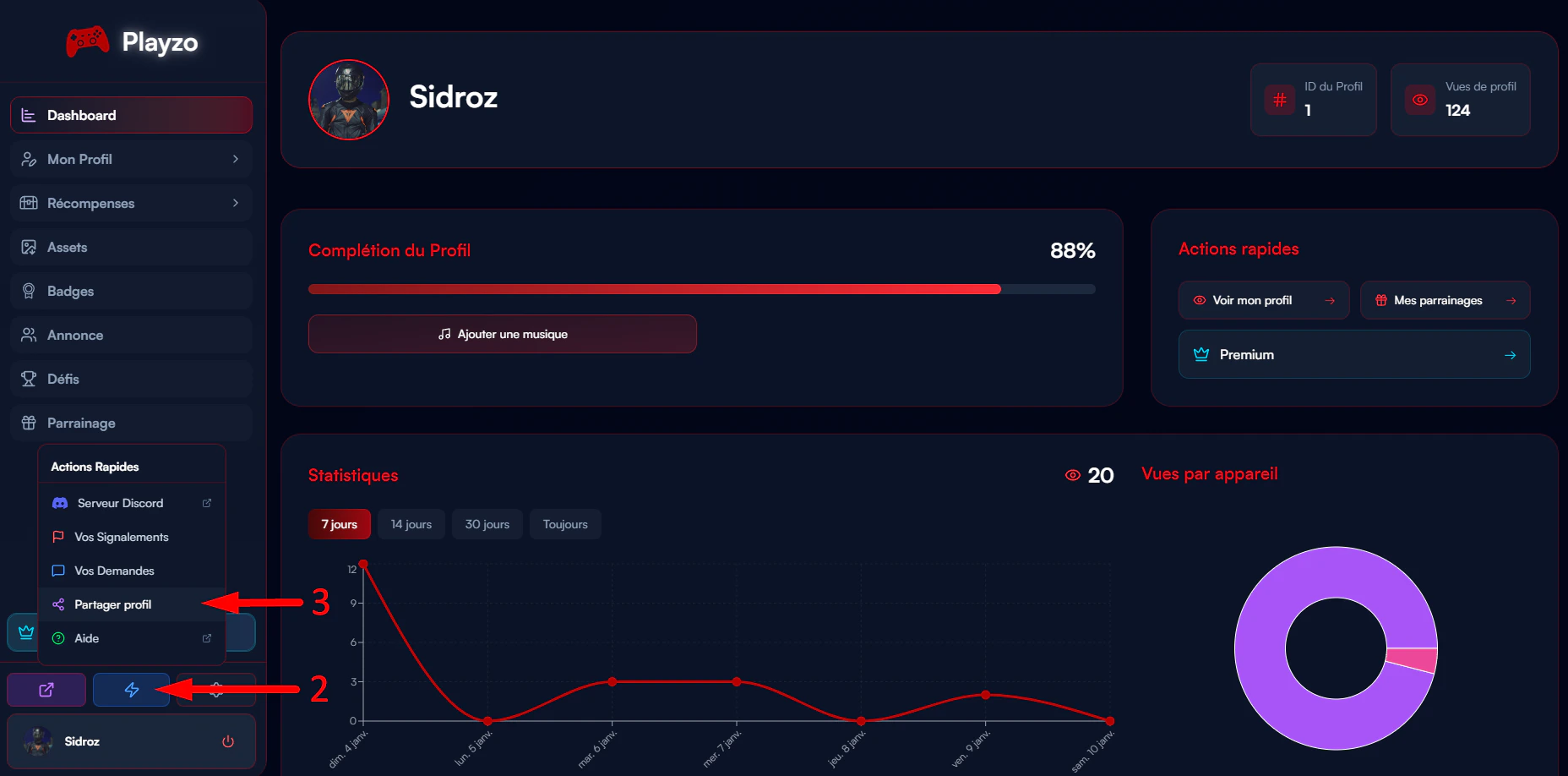
Allez sur votre [Dashboard](https://playzo.fr/dashboard)\
Cliquez sur le bouton **Actions Rapides** qui se trouve en bas à gauche\
Cliquez sur **Partager Profil**
 Une fenêtre va s'ouvrir, et vous aurez la possibilité de copier votre lien ou de télécharger votre QR Code